A DNS Failover Examp...
A DNS Failover Example That Protects Uptime
A DNS Failover Example That Protects Uptime
A five-minute website outage can be more than a technical inconvenience. A customer may abandon a cart, a prospect may question your reliability, and a staff member may be unable to reach a critical web application. This DNS failover example shows how a properly planned DNS setup can direct visitors to a working backup location when the primary website environment has a problem.
DNS failover is not a replacement for dependable cloud hosting, daily backups, security protections, or a recovery plan. It is one layer in an availability strategy. Used correctly, it helps protect the public path to your website so customers have a better chance of reaching your business while an underlying issue is investigated.
What DNS Failover Does
DNS, or the Domain Name System, translates a domain name such as yourbusiness.com into the IP address or hostname of the server that handles the request. Under normal conditions, your DNS record points visitors to your primary web server.
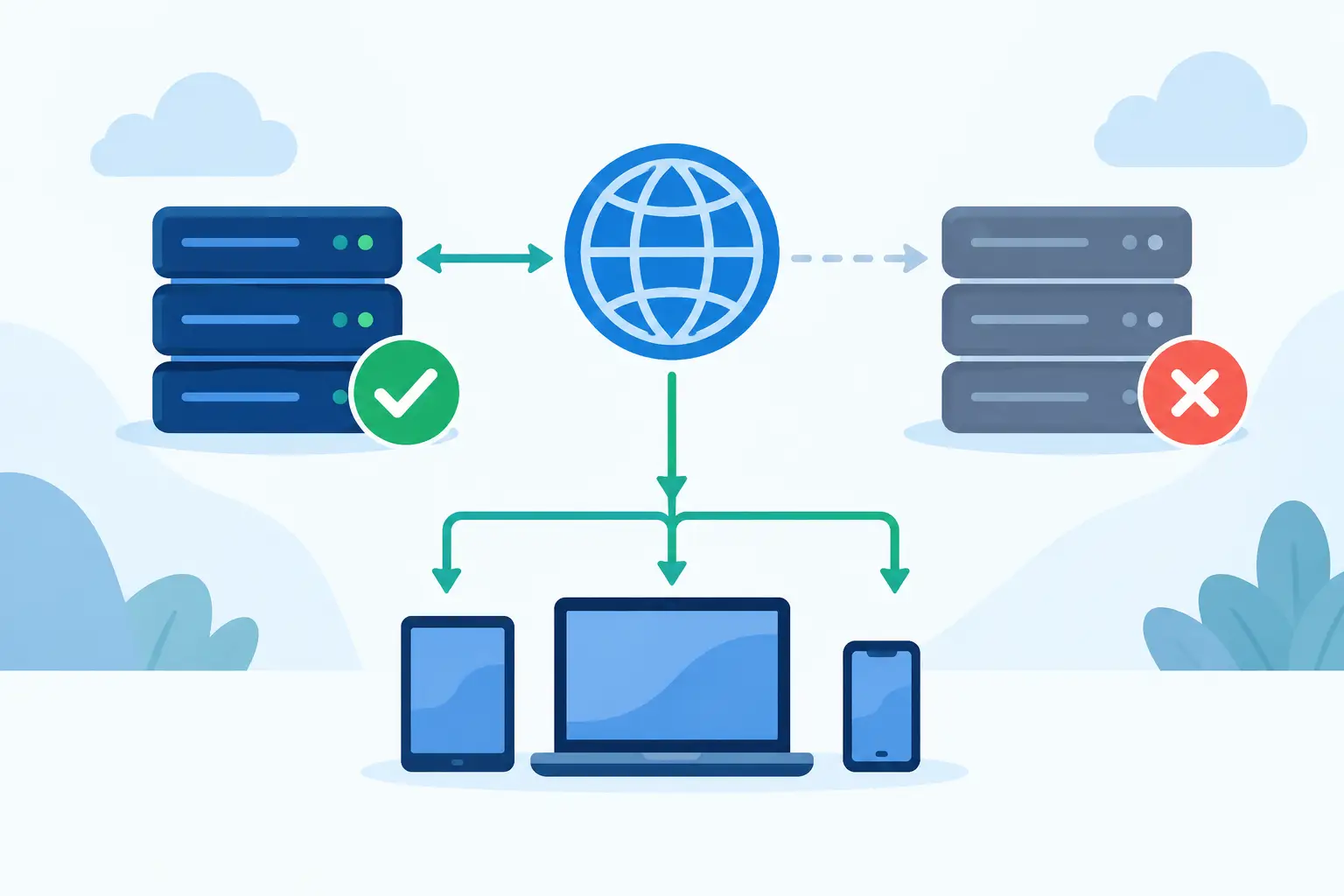
With DNS failover in place, a monitoring system regularly checks whether that primary destination responds as expected. If the health check fails enough times to meet the configured threshold, DNS can change the answer it gives to new visitors. Instead of receiving the primary server address, they receive the address of a secondary destination.
That secondary destination might be a standby website in another environment, a load-balanced application endpoint, or a simple status page that explains the situation and provides phone, email, or support options. The right choice depends on how essential live transactions and account access are to your business.
DNS failover only affects where new DNS lookups are directed. It does not repair a failed server, restore missing data, or instantly move every visitor. Browsers, internet providers, and office networks may retain a cached DNS answer until its time to live, or TTL, expires. That delay is why configuration decisions matter.
DNS Failover Example for an Online Store
Consider a small ecommerce business with a primary site at shop.example.com. Its primary cloud hosting environment runs the storefront, product catalog, customer accounts, and checkout process. The business also maintains a secondary environment containing a current copy of the storefront and the essential application configuration.
The DNS record for shop.example.com normally sends visitors to the primary environment. A DNS monitoring service checks a specific HTTPS address, such as a page designed to confirm that the web server and application are responding correctly. It expects an HTTPS response within a defined time and verifies that the returned content is valid.
At 10:15 a.m., a server-level issue causes the primary site to stop responding. The monitoring service performs its scheduled checks from more than one location. One missed check alone does not trigger a switch, because a brief network interruption should not send traffic away unnecessarily. After several failed checks, the service marks the primary endpoint unhealthy.
DNS then begins returning the secondary environment for shop.example.com. Visitors whose DNS caches expire after the change reach the backup storefront. New orders can continue if the backup environment is designed to process them safely. Meanwhile, the hosting team can investigate the primary system without leaving every customer at a browser error page.
Once the primary site is repaired, the team confirms that it is genuinely healthy, current, and ready to accept traffic. DNS failback can occur automatically after successful checks or manually after review. For stores with order databases, inventory systems, or payment integrations, a controlled manual failback is often safer. The team needs to verify that no transactions, updates, or customer records will be lost or duplicated.
What visitors may experience
A DNS switch is not always invisible. A visitor who already has the old address cached may continue trying the unavailable primary server until the cached record expires. Someone starting a new session may reach the backup immediately. Existing logged-in sessions can also be interrupted if the primary and secondary environments do not share session storage.
For that reason, a business should set realistic expectations. DNS failover can reduce the reach and duration of an outage, but it cannot promise zero disruption by itself. High-availability applications require coordinated planning across hosting, databases, files, authentication, payment systems, and DNS.
Choosing the Right Backup Destination
A backup destination should match the business impact of an outage. A professional services firm may need a lightweight emergency page with contact details, a lead form, and a clear notice that the main site is being restored. That can preserve credibility and keep inquiries coming while the primary site is repaired.
An ecommerce operation may need a fuller standby store. In that case, the backup must account for product data, order processing, inventory accuracy, SSL certificates, email notifications, and third-party payment services. A secondary site that loads but accepts orders without current inventory data can create a different and potentially more expensive problem.
Agencies and businesses that run client sites may prefer a load-balanced design, where traffic normally reaches more than one healthy endpoint. DNS failover is still useful as a broader routing safeguard, but it should not be the only availability measure. The more active components a site uses, including MySQL, MS SQL, PHP applications, WordPress plugins, or .NET services, the more carefully its dependencies must be tested.
Configure Health Checks for Real Failures
The health check is the decision-maker in a DNS failover setup. A basic ping may show that a server is online, even when the website or checkout page is broken. For most business websites, an HTTP or HTTPS check is more meaningful.
Choose a URL that represents the function you are trying to protect. A static home page may be sufficient for a brochure site. For an application, test a page that confirms the web service, database connection, and key application logic are available without exposing private information.
Set a reasonable timeout and failure threshold. Very aggressive settings can cause a false failover during a short performance issue or an isolated monitoring network problem. Settings that are too lenient may leave customers facing errors for longer than necessary. The best balance depends on your traffic volume, application behavior, and tolerance for a brief interruption.
It is also wise to monitor from multiple geographic locations. A failure seen from one monitoring point might be a regional routing issue rather than a complete site outage. Multiple checks provide more confidence before DNS traffic is redirected.
TTL Is a Trade-Off, Not a Magic Number
TTL tells DNS resolvers how long they may cache a record. A lower TTL can help changes take effect sooner during failover. Many organizations choose a TTL of a few minutes for records that need rapid switching.
Lower TTL values have trade-offs. They can increase DNS query volume and do not force every resolver to behave identically. Some networks may cache information longer than requested, while a visitor’s browser or device may retain its own connection behavior. A low TTL improves the odds of a faster transition, not an instant global cutover.
Before relying on failover, set the TTL well in advance. Changing a high TTL shortly before maintenance or a known risk event does not remove records that have already been cached. Plan the setting as part of your normal DNS management, not as an emergency action.
Test Failover Before You Need It
A failover plan that has never been tested is an assumption. Schedule a maintenance window and simulate a primary endpoint failure. Confirm that health checks detect the issue, DNS responses change as expected, the backup site presents a valid SSL certificate, and critical customer actions work.
Test the return path as carefully as the initial switch. Verify data synchronization, application settings, email delivery, forms, payment processing, and analytics. Document who has authority to approve failback and who communicates with customers if a meaningful interruption occurs.
Keep DNS records organized as well. Remove outdated addresses, identify the owner of each domain, protect registrar access with strong credentials and multi-factor authentication, and make sure renewal contacts are current. DNS availability is tied to domain continuity, so an expired domain or an unauthorized record change can defeat even a well-designed hosting plan.
Build DNS Failover Into a Larger Availability Plan
DNS failover works best alongside dependable managed hosting, current backups, account isolation, server-level security protection, and responsive support. Backups protect recoverability. Hosting redundancy reduces the chance of a primary failure. DNS failover provides an alternate route when a reachable destination must change.
For many small and midsize businesses, the most practical first step is identifying what customers absolutely need during an outage. Is it a working checkout, access to a client portal, a phone number, or simply assurance that the business is open? That answer determines whether your backup should be a complete standby site or a focused emergency presence.
Knight Web Services can help businesses keep domains, DNS, hosting, SSL, email, and support under a dependable long-term provider. The goal is not to add complexity for its own sake. It is to make sure a temporary technical failure does not become a longer interruption to customer trust.
A prepared DNS failover plan gives your business options when time matters most. Build it around the services your customers rely on, test it under controlled conditions, and keep the people responsible for your domain and hosting ready to act.